 AxelNest.
AxelNest.
AxelNest.
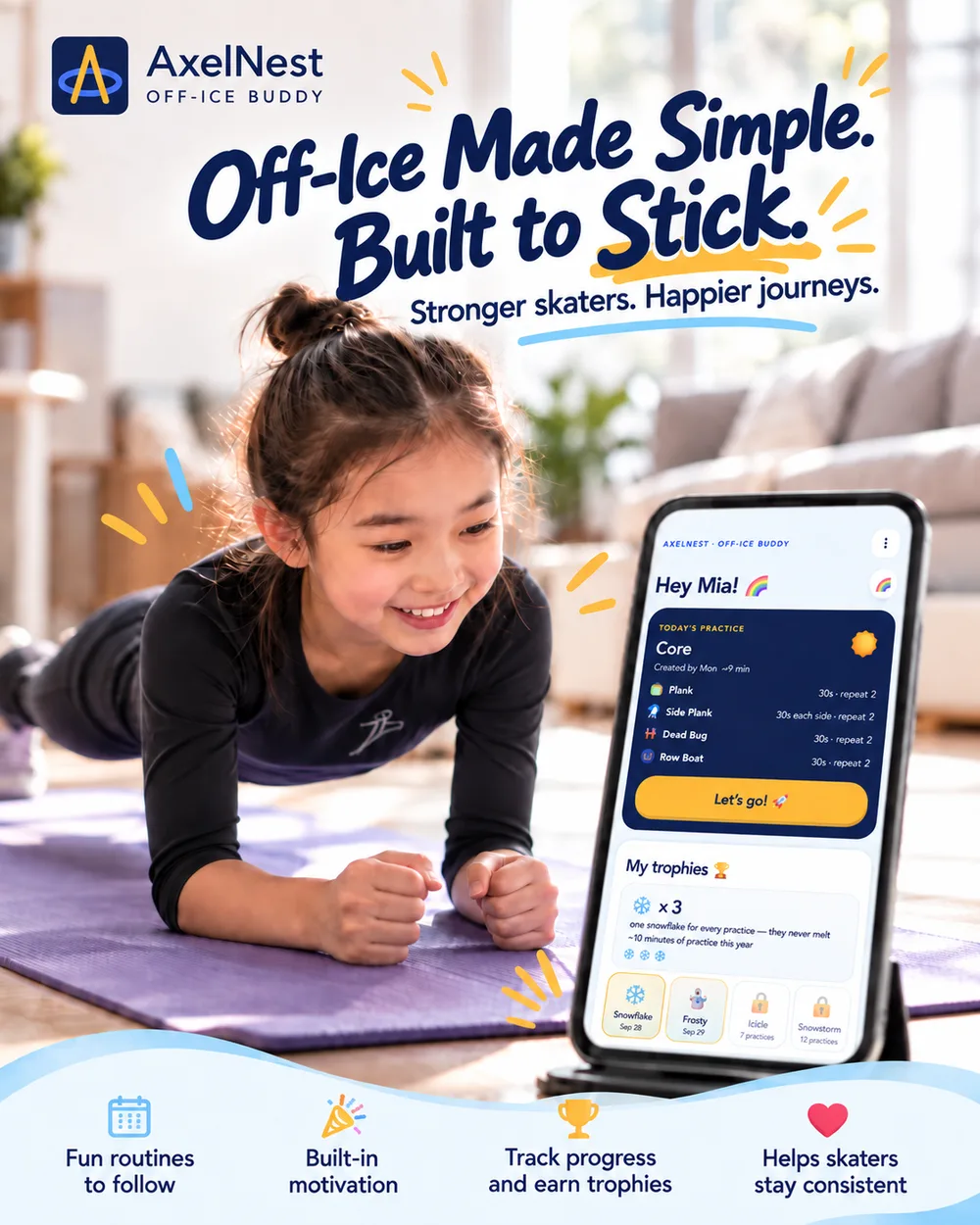
The off-ice training app for figure skaters
Off-Ice made simple, built to stick.
Plan·Follow·Celebrate·Repeat. Off-Ice Buddy turns coach guidance, exercise photos, timers, notes, and progress tracking into one kid-friendly practice flow your skater can run on their own.
No card needed. Works in any browser — nothing to install. The account belongs to a grown-up.
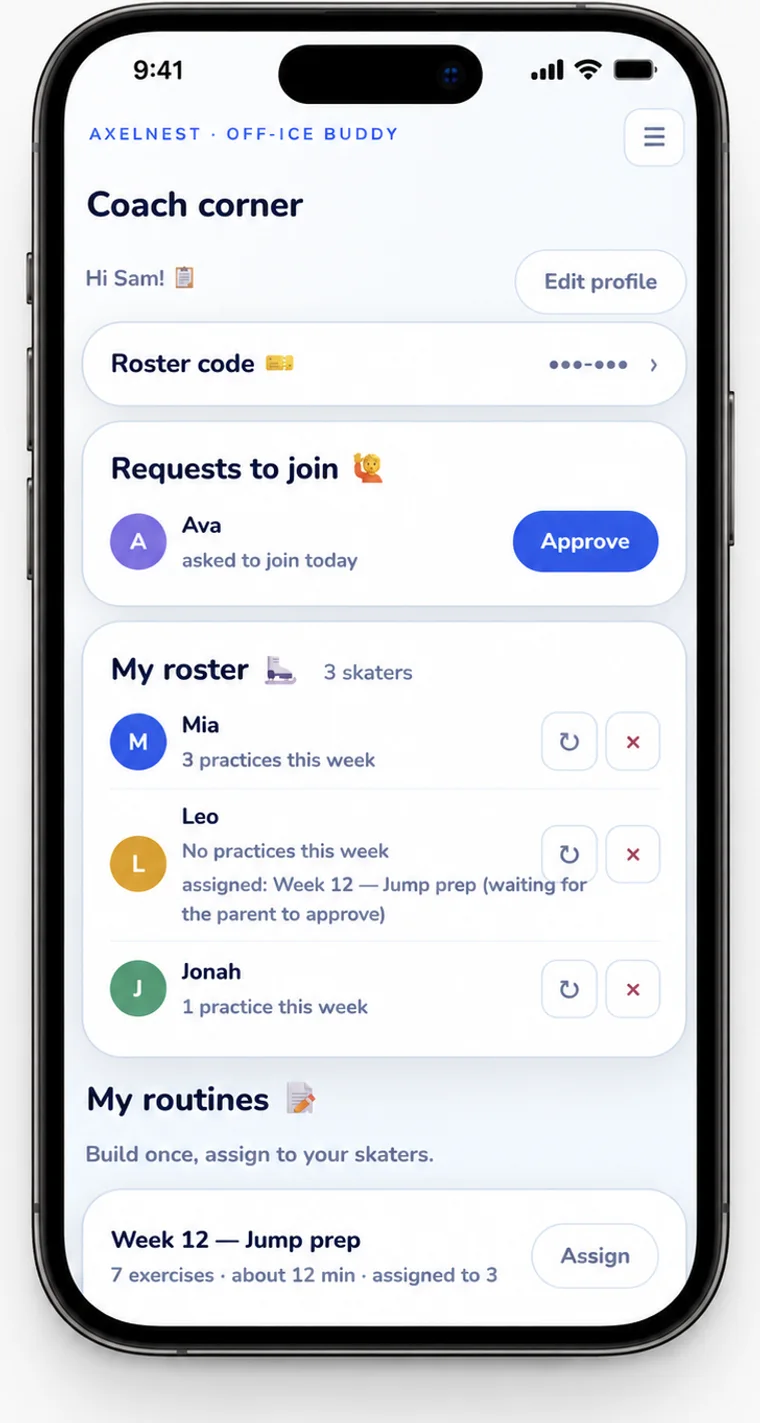
Coach skaters? Assign routines to one skater or your whole roster, and see who practiced before the next lesson. Coach Corner →How it works
U.S. Figure Skating’s Parent Guide puts it plainly: the goal of off-ice training is to make ice time more productive. Knowing that was never the hard part — the hard part is doing it three times a week, every week, for a year.
A notebook, a spreadsheet, photos buried in the camera roll, a stopwatch, and a thread of texts with the coach — folded into one screen.
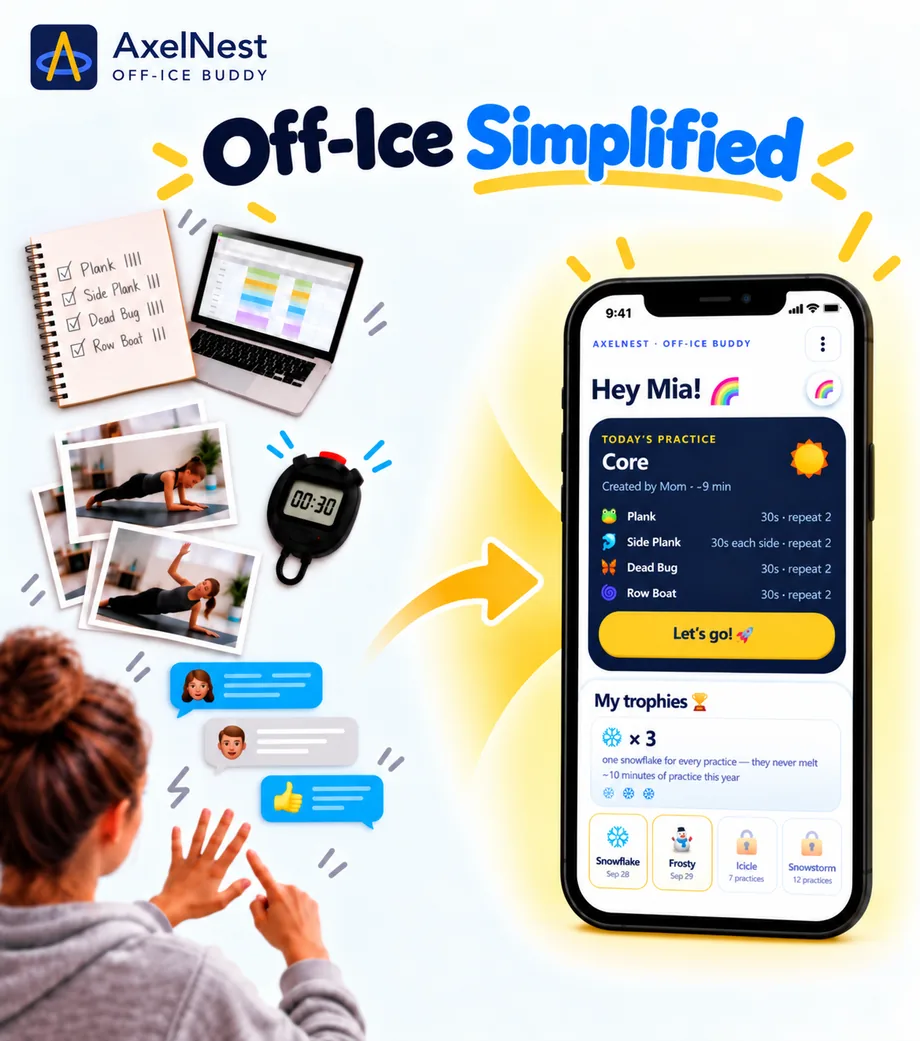
A simple loop that supports the part families struggle with most: helping children want to do off-ice and continue doing it.
Plan
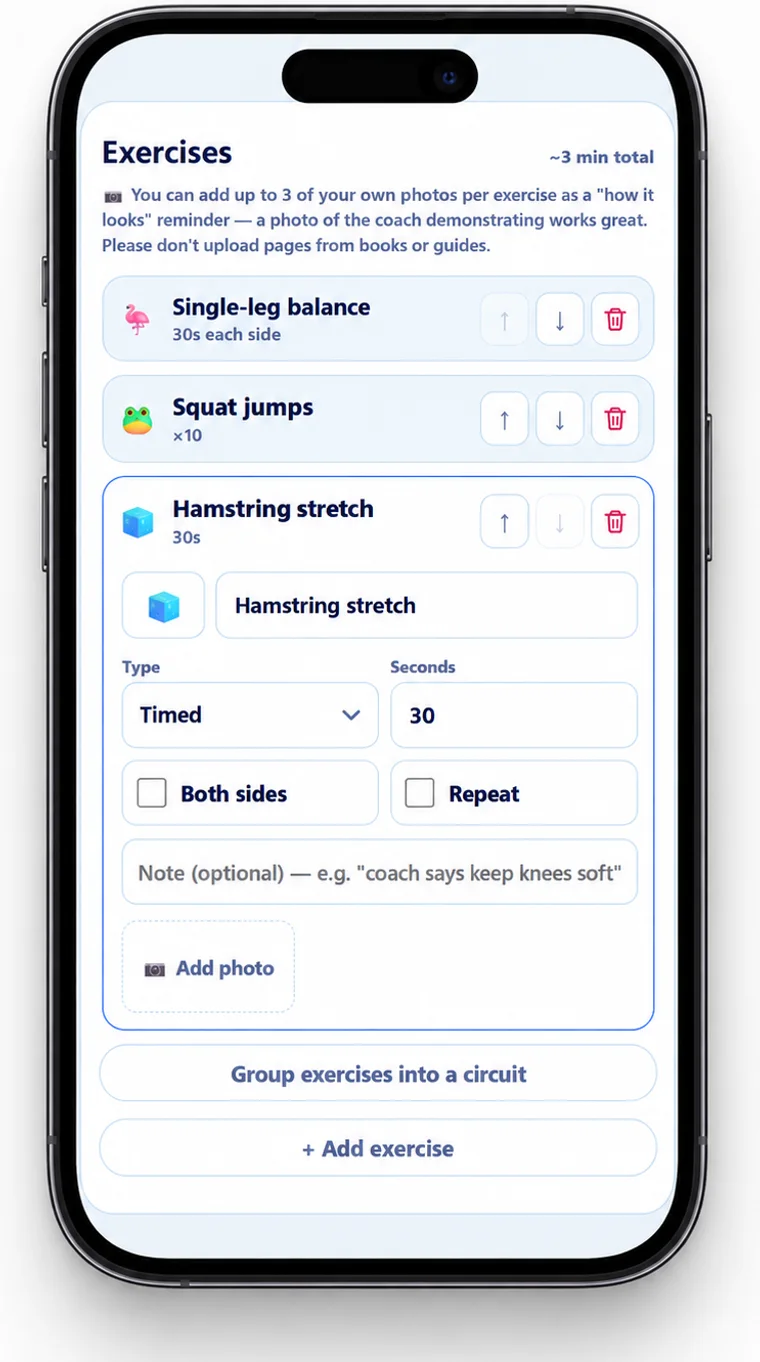
Follow
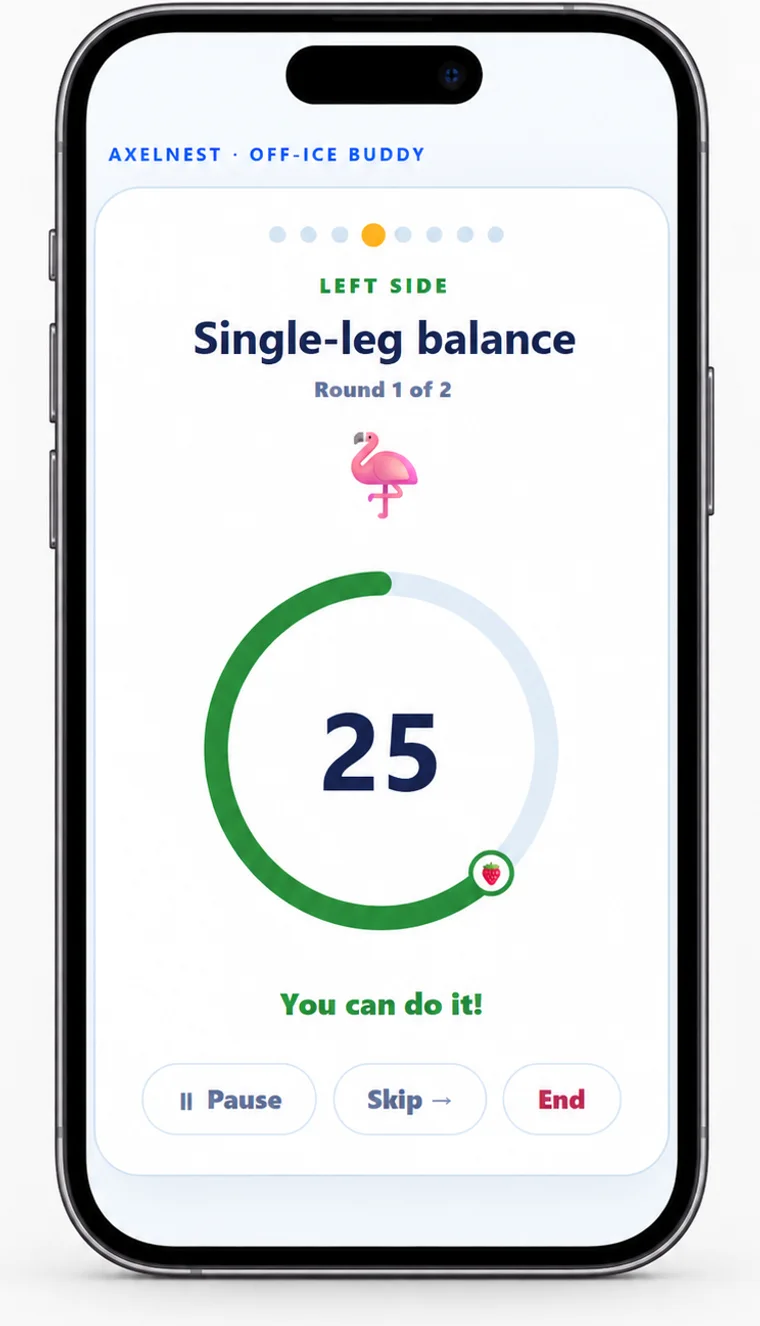
Celebrate
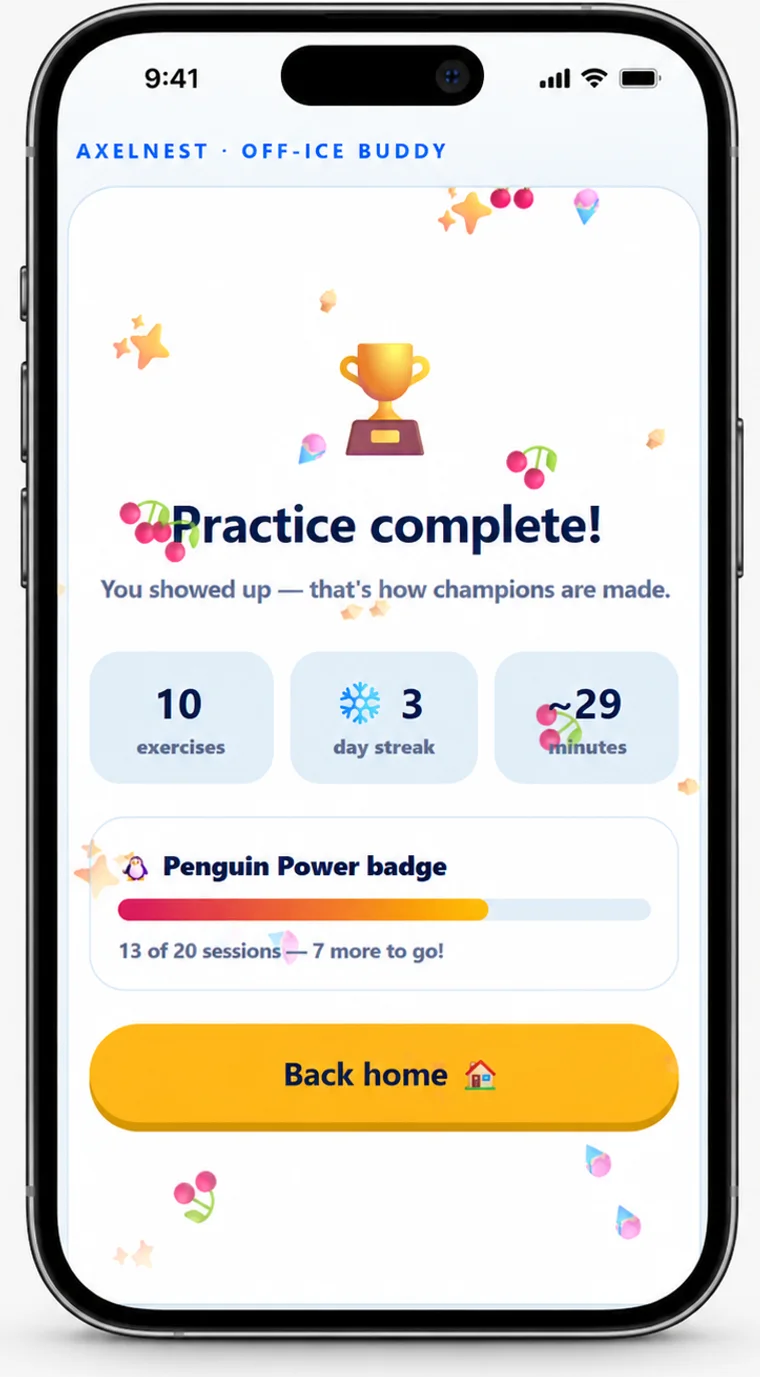
Repeat
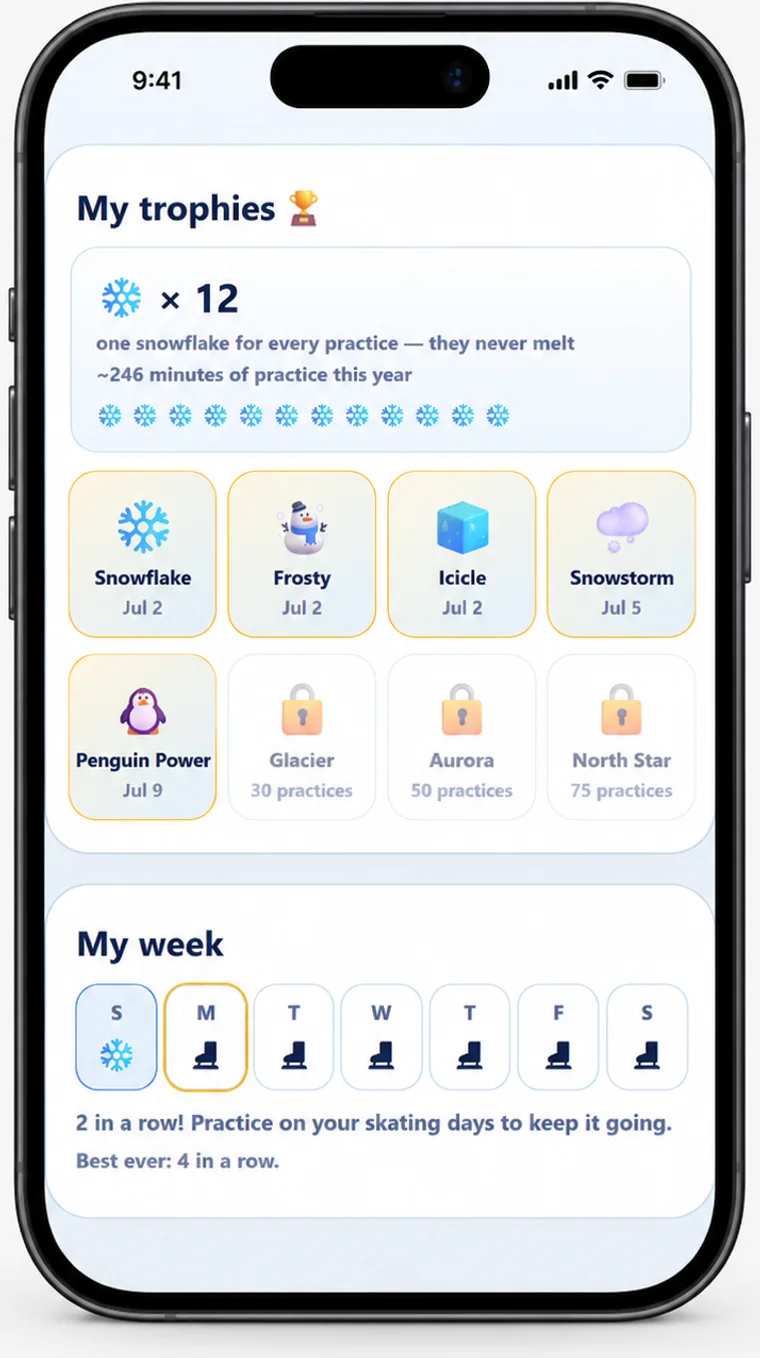
Somewhere in the second week, the reminding stops — and they start asking whether today is a training day.
For coaches
Assign routines. Track effort. Your program stays yours.
You keep coaching the way you coach. Off-Ice Buddy carries it home, and tells you what came back.
Where it fits
Questions
It is built for skaters roughly seven to fourteen running a routine on their own. Adult skaters use it too, with a version of the home screen written for them rather than for a child.
No, and they can’t have one. The account is yours; your skater is a profile inside it. Hand them the phone and they are in their own space, with their routines and their streak.
Yes. Siblings live under one account, each with their own routines, minutes and snowflakes — nothing is shared or compared between them. A routine copies from one skater to the next, so you adjust it rather than type it twice: Emma holds twenty seconds where Jack holds ten.
No — and most families start without one. You write the routines yourself, from whatever your skater’s coach has already given you or from what you know they should be working on. If their coach does join later, the only thing that changes is that you stop retyping exercises.
No. It runs in the browser on any phone, tablet or laptop. On a phone you can add it to the home screen and it opens full screen like a normal app.
Yes — free to use right now, for families and for coaches. If we introduce paid plans later we will say so clearly and well in advance, and nothing you have already built goes away.
The account belongs to an adult. Children don’t get logins — each skater is a profile inside your account, with their own routines, streaks and badges. There is no advertising and no third-party analytics or tracking anywhere in the app a child uses.
Every routine is authored by a family or a coach and carries their name; AxelNest supplies the timer and the structure, never the training content. Linking a coach is always your action — you enter their code, read exactly what will be shared, and they approve the request — and the first routine they assign needs your approval before a skater sees it; after that, you choose whether new ones arrive automatically. You can disconnect at any time, which ends their access immediately.
Name, avatar, and completions of the routines that coach assigned — when and for how long. Not streaks, not badges, not your other routines or schedules, not photos, not account details. You approve the link, and you can end it whenever you like.
Yes, and families already do — physical-therapy home exercises, dryland conditioning, summer strength work, stretching before bed. Off-Ice Buddy doesn’t know or care what the exercises are for; it times them, reads out the notes, and keeps the streak. Whoever prescribed the exercises is the author, and their instructions are the ones to follow.
It doesn’t come with exercises — you bring those, and that is deliberate: the right exercises for your skater come from someone who has watched them skate, not from us. Bring your coach’s list, a camp handout, a physio’s sheet or your own notes, and expect about five minutes for the first routine. Save the exercises you reuse to your Library, and a new routine takes about a minute.
It isn’t coaching advice — AxelNest is a platform, not a training provider. There are no scores, levels or leaderboards, and no plans to add them. It needs a connection for the day’s data. And it is new: we would much rather hear what’s missing than guess.
Yes. Add yourself as the skater rather than a child, and the home screen changes to match — your routines sit at the top, you build and start them from the same place, and nothing is written as if a grown-up were handing you the phone. Minutes, snowflakes and badges work exactly as they do for a child. If you are a skating parent too, you and your children live in one account, each with your own routines and progress.
Same place as everyone else — open Off-Ice Buddy, sign in, and add a coach profile from setup. You land in your coach corner from then on.
Then: share your roster code with the families you coach and approve each request to join, so you decide who is on your roster. Build a routine once, assign it to one skater or to everyone, and see who practiced before the next lesson. Coach and skating parent? Coach Corner locks with a PIN, so your child’s time on the phone stays in their own space.
For families
☰ → Parent portal → + New routine. Give it a name, add each exercise with + New exercise (a time or reps, a note, a photo if you like), then Save routine.
Tick Save to library under an exercise’s name. Next time, tap Add from library in the routine builder. To fill your Library from routines you already have: Library › (beside Routines) → Add from your routines, and pick the ones you want.
Hand them the phone on their own home screen and tap Start on a routine. Off-Ice Buddy shows one exercise at a time, reads out your notes, runs the timer and celebrates at the end.
Parent portal → Setup → Training days. Pick the days, and a routine for each.
☰ → Add (beside the skaters’ faces). To copy a routine, use its copy button in the parent portal and choose the skater — or Copy to all my kids.
Ask the coach for their roster code. Parent portal → Setup → My coach → Add your coach →, enter the code, read what will be shared, and send; the coach approves. The first routine they assign waits for your approval, and after that you can turn on Auto-accept under My coach.
On the skater’s home, tap Pick your vibe! ✨.
☰ → Add to home screen. On an iPhone or iPad: tap Share, then “Add to Home Screen”.
For coaches
Coach corner → My routines: build one (the Library › makes it quick), tap Assign, and tick one skater or several. A new assignment replaces last week’s automatically.
Your roster itself has no size limit. A roster code takes 50 join requests — each skater counts once, and a request you decline still counts — and works for 90 days. When it runs out, families already on your roster stay on it; open Roster code in your coach corner, tap Create a fresh code, and share the new one.
Sign out, sign back in, and tap Forgot PIN? within 5 minutes to set a new one.
Your account
Email support@axelnest.com from your account’s email address, and we will complete it within 30 days.
That is genuinely the whole test. Five minutes to put the first routine in, and if your skater asks to do it again tomorrow, you have your answer.
Free right now. Nothing to install. The account belongs to a grown-up.